Running a business often means juggling emails, data entry, follow ups, approvals, and reports. These repetitive tasks slow growth and burn valuable time. This is why more companies are choosing to automate business processes instead of relying on manual work.
Automation helps businesses operate faster, reduce errors, and scale without hiring more people. In this guide, you will learn what business process automation is, how it works, which tools to use, and how to apply it in real business scenarios.
This guide is designed for small business owners, SaaS founders, and beginner marketers looking for practical solutions.
What Does It Mean to Automate Business Processes?
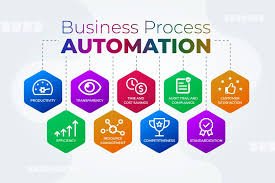

Business process automation is the use of software to handle repetitive tasks and workflows automatically. Instead of performing tasks manually, systems follow predefined rules to complete them.
Examples include:
- Automatically sending welcome emails to new leads
- Syncing form submissions to a CRM
- Routing approval requests to the right manager
- Generating invoices and reminders
According to IBM, business automation improves efficiency by reducing human error and speeding up workflows
https://www.ibm.com/topics/business-process-automation
Automation is already common in tools like CRM platforms. You can see how this works in detail in our guide on
https://thinkingerahub.com/what-is-automated-crm/
Why Automating Business Processes Is Critical Today
Manual workflows limit growth. Automation removes bottlenecks and helps businesses stay competitive.
Key Benefits of Automation
- Saves time by eliminating repetitive work
- Improves accuracy and reduces costly errors
- Increases team productivity and focus
- Enables faster customer response times
- Supports business scalability
McKinsey reports that up to 60 percent of occupations have tasks that can be automated
https://www.mckinsey.com/capabilities/operations/our-insights/automation-and-the-future-of-work
Common Business Processes You Can Automate
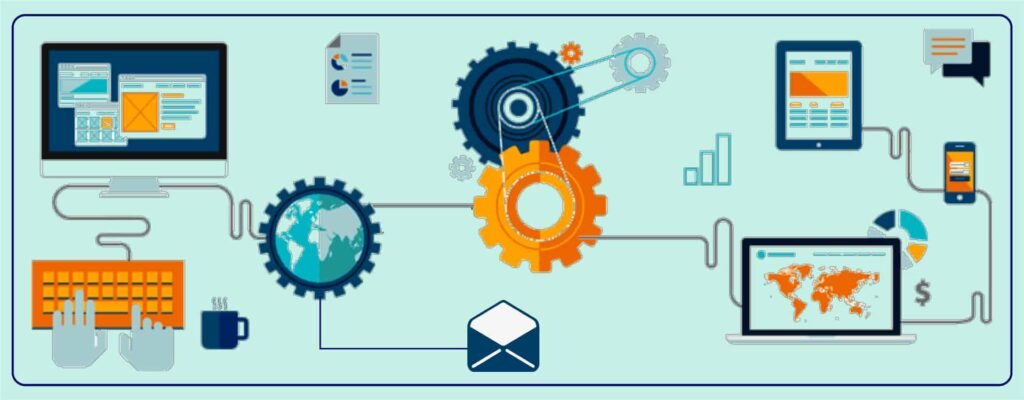
Most businesses start automation with simple workflows. Some common examples include:
- Lead capture and follow ups
- Email marketing and segmentation
- Customer onboarding
- Task assignments and reminders
- Invoice generation and payment tracking
- Data synchronization between tools
If you already use project management software, automation can dramatically improve task flow. Learn more here
https://thinkingerahub.com/best-task-management-software/
Best Tools to Automate Business Processes
Below are some of the most effective and beginner friendly automation tools available today.
Zapier
Zapier allows you to connect thousands of apps and automate workflows without coding.
Best for small businesses and marketers.
Features:
- Connects over 5000 apps
- No code automation
- Prebuilt templates
Official website
https://zapier.com
Pros:
- Easy to set up
- Affordable entry plans
Cons:
- Limited advanced logic on lower plans
Microsoft Power Automate
Power Automate is ideal for businesses using Microsoft 365.
Features:
- Deep integration with Excel, Outlook, Teams
- AI driven automation
- Robotic process automation
Official website
https://powerautomate.microsoft.com
Pros:
- Strong enterprise grade features
- Works well with Microsoft tools
Cons:
- Learning curve for beginners
UiPath
UiPath specializes in robotic process automation for complex workflows.
Best for growing and enterprise level businesses.
Official website
https://www.uipath.com
Pros:
- Powerful automation capabilities
- AI powered bots
Cons:
- Higher cost
- Requires technical setup
Automation Anywhere
This cloud based RPA platform focuses on intelligent automation.
Official website
https://www.automationanywhere.com
Pros:
- Advanced document processing
- Scales across departments
Cons:
- Premium pricing
Nintex
Nintex focuses on workflow and document automation.
Official website
https://www.nintex.com
Pros:
- Visual workflow builder
- Ideal for approvals and compliance
Cons:
- Less suitable for very complex automations
How to Choose the Right Automation Tool
When selecting a tool, consider the following factors:
Business Size
Small businesses benefit from simple no code tools like Zapier.
Workflow Complexity
Advanced workflows may require RPA tools like UiPath.
Budget
Start with free or entry level plans and scale gradually.
Integration Needs
Ensure the tool connects with your CRM, email, and accounting software.
Step by Step Guide to Automate Business Processes
Step 1: Identify Repetitive Tasks
List tasks your team repeats daily or weekly.
Step 2: Map the Workflow
Write down each step in the process.
Step 3: Select the Right Tool
Match the workflow to a suitable automation platform.
Step 4: Start Small
Automate one process first, then expand.
Step 5: Monitor and Optimize
Track results and refine automation rules.
Pros and Cons of Business Process Automation
Advantages
- Faster operations
- Reduced errors
- Lower operational costs
- Better customer experience
Limitations
- Initial setup time
- Tool costs
- Over automation risks if poorly planned
Who Should Use Business Process Automation?
Best for:
- Small business owners
- SaaS startups
- Digital marketers
- Operations teams
Not ideal for:
- One time tasks
- Processes requiring constant human judgment
Pricing and Cost Considerations
Automation tools typically offer:
- Free plans with limited actions
- Monthly subscriptions
- Custom enterprise pricing
The return on investment often comes from saved labor hours and improved efficiency.
Best Practices for Successful Automation
- Automate only stable processes
- Keep workflows simple
- Document automation logic
- Train team members
- Review automation regularly
Frequently Asked Questions
What is an example of business process automation?
Automating lead assignment from a website form to a CRM and notifying the sales team.
Can small businesses afford automation tools?
Yes. Many tools offer free plans or low cost subscriptions.
Does automation replace employees?
No. Automation supports employees by removing repetitive tasks.
Is coding required?
Most modern automation tools are no code or low code.
Final Verdict
To automate business processes is to invest in efficiency, accuracy, and growth. Businesses that adopt automation early gain a strong competitive advantage.
Start small with tools like Zapier or Power Automate. As your business grows, scale into advanced platforms like UiPath or Automation Anywhere.
Automation is not about replacing people. It is about empowering teams to do better work faster.
Next Step
Pick one repetitive task you handle every week and automate it today. The time you save will compound faster than you expect.
For more SaaS and automation insights, explore our guides at
https://thinkingerahub.com