Managing business expenses should not feel like a full time job. Yet for many small businesses, startups, and growing teams, tracking receipts, approving claims, and controlling spending becomes messy, slow, and expensive. This is exactly where expense management software makes a real difference.
If you are still using spreadsheets, paper receipts, or manual approvals, you are likely losing money without realizing it. This guide explains what expense management software is, how it works, the key features to look for, and how to choose the right tool for your business.
Whether you are problem aware or ready to buy, this article will help you make a smart decision.
What Is Expense Management Software?
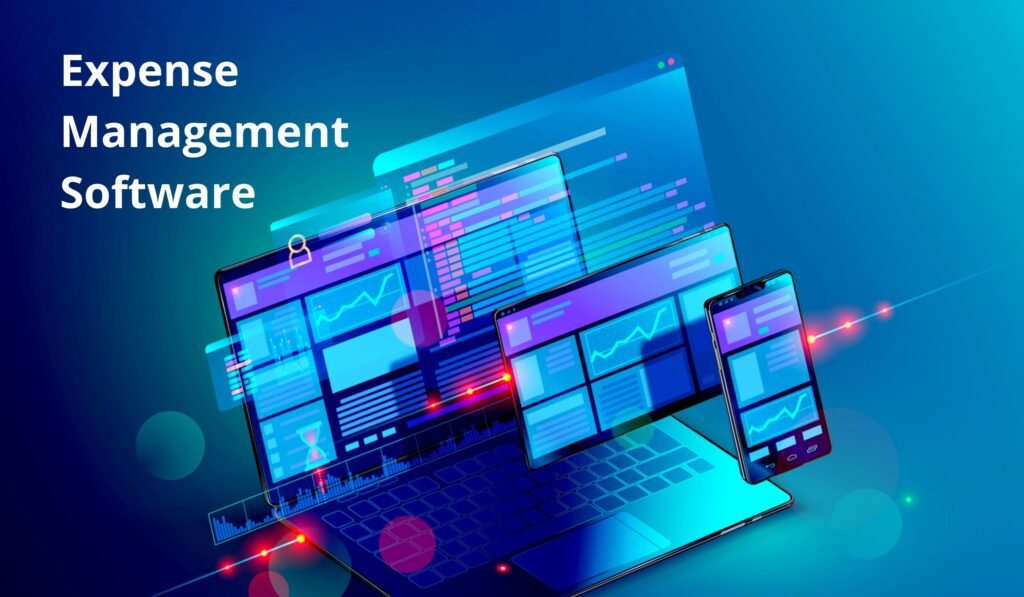
This software is a digital tool that helps businesses track, approve, reimburse, and analyze employee expenses in one centralized system.
Instead of chasing receipts or reconciling expenses at month end, the software automates the entire process. Employees submit expenses online. Managers approve them in real time. Finance teams gain full visibility into spending.
Common Expenses Managed
Expense management software typically handles:
- Travel and mileage expenses
- Meals and entertainment
- Office supplies
- Software subscriptions
- Client related costs
- Corporate card transactions
The goal is simple. Reduce manual work, prevent overspending, and improve financial control.
Why Expense Management Software Matters
Poor expense tracking creates serious business risks. These include inaccurate reports, delayed reimbursements, compliance issues, and cash flow problems.
Using expense management software solves these challenges by:
- Eliminating manual data entry
- Enforcing company expense policies
- Speeding up approvals and reimbursements
- Providing real time spending insights
- Reducing fraud and duplicate claims
For small businesses, these benefits directly translate into saved time and lower costs.
Key Features to Look For in Expense Management Software
Not all expense management tools are the same. Choosing the right one depends on your business size, workflow, and budget.
Below are the most important features to evaluate.
Automated Expense Capture
Modern expense management software allows employees to scan receipts using their phone. The system extracts data automatically using optical recognition.
This feature:
- Reduces errors
- Saves time
- Improves record accuracy
Expense Approval Workflows
Custom approval workflows ensure that expenses follow company rules before reimbursement.
Look for tools that offer:
- Multi level approvals
- Policy based alerts
- Fast mobile approvals
Corporate Card Integration
Many platforms integrate with business debit or credit cards. Transactions sync automatically into the system.
This provides:
- Real time expense visibility
- Fewer manual submissions
- Better spending control
Policy Enforcement and Compliance
Good expense management software applies company policies automatically.
Examples include:
- Daily meal limits
- Approved vendors
- Spending caps by role
This helps prevent policy violations before they happen.
Reporting and Analytics
Built in reports show exactly where your money goes.
Useful reports include:
- Department wise spending
- Category breakdowns
- Monthly trends
- Reimbursable versus non reimbursable expenses
Clear insights support smarter budgeting decisions.
Accounting and Payroll Integrations
Seamless integration with accounting software reduces reconciliation work.
Common integrations include:
- QuickBooks
- Xero
- NetSuite
- Payroll systems
Expense Management Software vs Manual Expense Tracking
Here is a simple comparison.
| Feature | Manual Tracking | Expense Management Software |
|---|---|---|
| Data entry | Manual | Automated |
| Approval speed | Slow | Fast |
| Error risk | High | Low |
| Policy enforcement | Difficult | Automatic |
| Reporting | Limited | Advanced |
| Scalability | Poor | Excellent |
For growing businesses, manual systems quickly become a bottleneck.
Benefits of Expense Management Software
Saves Time Across Teams
Employees submit expenses in minutes. Finance teams close books faster. Managers approve on the go.
Improves Cash Flow Control
Real time visibility helps businesses avoid surprise expenses and budget overruns.
Reduces Fraud and Errors
Automated checks flag duplicates, inflated claims, and policy violations.
Boosts Employee Satisfaction
Fast reimbursements improve trust and morale.
Supports Business Growth
As teams grow, expense management software scales without extra admin work.
Limitations and Potential Drawbacks
While expense management software offers major benefits, it is not perfect.
Possible limitations include:
- Monthly subscription costs
- Learning curve for new users
- Overkill for very small teams
For freelancers or solo founders with minimal expenses, simpler tools may be enough.
Who Should Use Expense Management Software?
This software is ideal for:
- Small and medium sized businesses
- Startups with growing teams
- Remote or hybrid companies
- Businesses with frequent travel expenses
- Finance teams managing multiple departments
Who May Not Need It
You may not need expense management software if:
- You are a solo entrepreneur
- Expenses are very low volume
- Manual tracking is still manageable
Pricing and Cost Considerations
Expense management software pricing varies by provider and features.
Typical pricing models include:
- Per user per month plans
- Tiered packages based on features
- Free plans with limited functionality
Average Cost Range
- Basic plans: low monthly cost per user
- Advanced plans: higher cost with automation and analytics
- Enterprise plans: custom pricing
Before choosing, calculate the time and cost savings compared to manual processes.
Best Practices for Implementing Expense Management Software
Follow these tips to get maximum value.
Set Clear Expense Policies
Define rules before rollout. Clear policies reduce confusion and disputes.
Train Employees Properly
Short training sessions improve adoption and accuracy.
Start with Core Features
Avoid complexity at first. Add advanced features later.
Review Reports Regularly
Use insights to adjust budgets and spending behavior.
Expense Management Software as a Business Growth Tool
Beyond tracking expenses, this software supports smarter decision making.
With accurate data, businesses can:
- Negotiate better vendor rates
- Identify cost leaks
- Plan realistic budgets
- Improve profitability
For small businesses, this visibility is a competitive advantage.
Final Verdict: Is Expense Management Software Worth It?
For most small businesses and growing teams, the answer is yes.
Expense management software replaces chaos with clarity. It saves time, reduces errors, and improves financial control. The return on investment often outweighs the subscription cost within months.
If your business handles regular expenses, reimbursements, or corporate cards, adopting expense management software is a smart next step.
If you are serious about controlling costs and scaling efficiently, start evaluating expense management software today. Compare features, test free trials, and choose a tool that fits your workflow.
The sooner you automate expenses, the faster your business moves forward.
Frequently Asked Questions
What is the best expense management software for small businesses?
The best option depends on your budget, team size, and required integrations. Look for ease of use, automation, and strong reporting.
Is expense management software secure?
Reputable providers use encryption, access controls, and compliance standards to protect financial data.
Can expense management software integrate with accounting tools?
Yes. Most modern platforms integrate with popular accounting and payroll systems.
How long does implementation take?
For small teams, setup often takes a few hours to a few days.
Does expense management software work for remote teams?
Yes. Cloud based tools are ideal for remote and hybrid teams.